The MCP Monetization Handbook
Everything you need to turn your AI tools into revenue. Pricing models, code examples, growth strategies, and benchmarks from 1,017 open-source MCP servers.
Chapter 1
Why Monetize Your MCP Tools?
The Opportunity
There are over 10,000 MCP servers in the wild. Fewer than 5% have any form of monetization. The rest are free, underfunded, and maintained by developers burning spare-time goodwill. That is a market failure, not a feature.
The MCP ecosystem is the fastest-growing tool standard in the AI economy. Every major AI lab (Anthropic, OpenAI, Google, Mistral) supports it. Every major IDE (Cursor, Windsurf, VS Code) integrates it. The protocol has won. The payment layer has not been built yet.
AI Agents Are the New API Consumers
Traditional APIs are called by humans writing code. MCP tools are called by AI agents acting autonomously. An agent running a research workflow might invoke 10-50 tools in a single session. Each invocation is a revenue event.
The shift from human-driven to agent-driven API consumption means:
- Higher volume — agents call tools hundreds of times per day, not a few times per week
- Price insensitivity — agents optimize for outcome, not cost per call
- 24/7 usage — no downtime, no weekends, no vacation
- Composability — one agent's output is another agent's input, creating chains that all need settlement
Revenue Potential
Based on analysis of 1,017 open-source MCP servers and existing paid API services, here are realistic per-call revenue benchmarks by tool type:
| Tool Type | Price Range | Examples |
|---|---|---|
| Simple lookups | 1-3 cents | DNS lookup, IP geolocation, currency conversion |
| Web search & scraping | 2-10 cents | Search engines, web scraping, link extraction |
| Data enrichment | 5-15 cents | Company data, contact info, domain analysis |
| Document analysis | 5-25 cents | PDF parsing, OCR, contract extraction |
| AI-powered analysis | 10-50 cents | Sentiment analysis, code review, summarization |
| Multi-step workflows | 25 cents - $1+ | Full research reports, complex data pipelines |
Chapter 2
Choosing Your Pricing Model
SettleGrid supports six pricing models. The right one depends on your tool's value delivery pattern.
Per-Invocation Most common
A fixed price for every call, regardless of input size or processing time. Simple, predictable, and easy for consumers to budget.
Best for: Search tools, lookups, CRUD operations, simple transformations
Example: Web search tool at 5 cents/call
Per-Token
Charge based on input/output token count. Fair pricing that scales with usage intensity.
Best for: LLM wrappers, text processing, translation services
Example: Summarization tool at $0.001 per 1K tokens
Per-Byte
Charge based on data volume transferred or processed. Natural fit for file and data tools.
Best for: File conversion, image processing, data export
Example: PDF converter at $0.01 per MB
Per-Second
Charge based on compute time consumed. Aligns cost with resource usage.
Best for: Video processing, simulation, ML inference, compute-heavy tasks
Example: Video transcription at $0.02 per second
Tiered Per-method pricing
Different prices for different tool methods. Lets you charge more for expensive operations.
Best for: Multi-method tools with varying compute costs
Example: Database tool: read at 1 cent, write at 5 cents, complex query at 10 cents
Outcome-Based Pay for results
Charge only when the tool delivers a successful result. Zero risk for consumers — maximum alignment.
Best for: High-value, variable-success tasks like lead generation, data extraction, code generation
Example: Lead enrichment tool: free if no data found, 25 cents on success
Chapter 3
Setting Up SettleGrid (5 Minutes)
Three steps to go from open-source tool to paid API product.
Step 1: Install the SDK
npm install @settlegrid/mcpStep 2: Register Your Tool
Create a free account at settlegrid.ai/register, then create a tool with a unique slug and your pricing configuration. No credit card required.
Step 3: Wrap Your Handler
Add two lines to your MCP server to enable per-call billing:
import settlegrid from '@settlegrid/mcp'

// Initialize with your tool slug and pricing
const sg = settlegrid.init({
  toolSlug: 'my-web-search',
  pricing: {
    defaultCostCents: 5,   // 5 cents per call
    methods: {
      deepSearch: 15,      // 15 cents for deep search
    },
  },
})

// Wrap your handler — billing is automatic
const search = sg.wrap(async (query: string) => {
  const results = await performSearch(query)
  return results
})

// That's it. Every call is metered and billed.
For REST APIs, use the middleware approach:
import { settlegridMiddleware } from '@settlegrid/mcp'

const billing = settlegridMiddleware({
  toolSlug: 'my-api',
  costCents: 5,
})

export async function POST(request: Request) {
  // Validate key and check credits
  const { error } = await billing(request)
  if (error) return error

  // Your logic here
  const data = await processRequest(request)
  return Response.json(data)
}
Chapter 4
From Zero to First Revenue
1. Create Your Tool
Pick something you already know how to build. The best monetized tools solve a specific, painful problem. A web scraper that cleans and structures output. A code review tool that catches real bugs. A data enrichment API that returns verified information. Do not try to build a platform — build a function.
2. Set Your Pricing
Use the benchmarks from Chapter 1 as a starting point. Your price should cover your compute cost and leave room for margin. A good rule of thumb: charge at least 3-5x your per-call cost.
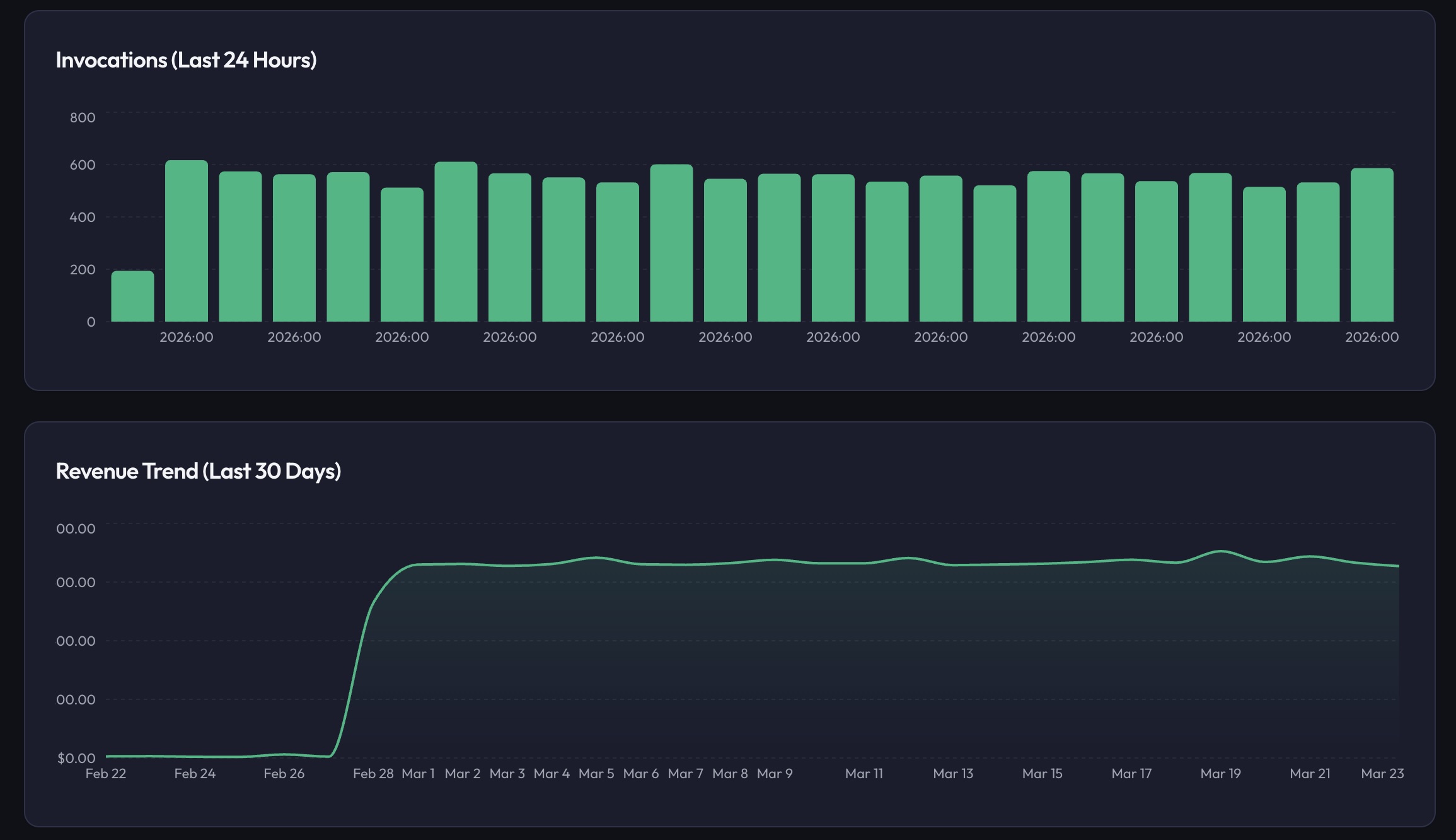
Revenue Calculator (Quick Math)
100 agents x 20 calls/day
2,000 calls/day
At 5 cents/call
$100/day
Monthly revenue
$3,000/month
3. Test in Sandbox Mode
SettleGrid supports sandbox mode with test API keys (prefixed sg_test_). Test keys meter usage without real charges. Verify your integration works end-to-end before going live.
4. Go Live
Switch from test keys to live keys. Connect your Stripe account for payouts. Your tool is now earning revenue on every call.
5. Get Your First Consumer
List your tool on the SettleGrid Showcase. Share it on MCP registries (Smithery, Glama, mcp.so). Post it on relevant communities. The first consumer is the hardest — after that, word of mouth kicks in.
6. Your First Payout
SettleGrid has a $1 minimum payout — the lowest of any AI monetization platform. Once your balance hits $1, you can withdraw to your Stripe account. Daily, weekly, or monthly payout schedules are available.
Chapter 5
Growing Your Tool Business
List on MCP Registries
The three largest MCP registries drive meaningful discovery traffic:
- Smithery (smithery.ai) — the largest registry, strong Claude Desktop integration
- Glama (glama.ai/mcp/servers) — well-organized directory with quality reviews
- mcp.so — community-driven, good for niche tools
When listing, emphasize that your tool is paid and reliable. Paid tools signal quality — consumers trust tools backed by revenue because the developer has incentive to maintain them.
Marketing Your Tool
- GitHub README — include a "Pricing" section with clear per-call costs and a link to purchase credits
- Blog posts — write about the problem your tool solves, not the tool itself
- Social media — share use cases and results on X/Twitter, Reddit, and Hacker News
- Demo videos — record a 2-minute video of your tool in action inside Claude or Cursor
- Community engagement — answer questions in Discord servers and forums where your target users hang out
Pricing Optimization
Start lower than you think you should. Early adoption is more valuable than early revenue. Once you have consistent usage:
- Raise prices 10-20% and monitor churn — if no one leaves, raise again
- Add premium methods at higher price points
- Offer volume discounts via tiered pricing for high-usage consumers
- A/B test different price points by creating tool variants
Cross-Tool Referrals
SettleGrid includes a built-in referral system. Refer other developers to the platform and earn a percentage of their revenue. Build a network of complementary tools that recommend each other.
SettleGrid's Discovery Ecosystem
Your tools are automatically discoverable by AI agents and consumers through SettleGrid's built-in discovery infrastructure. The Showcase is the public catalog where consumers browse and search for tools. The Discovery API lets third-party directories and integrations embed your tools programmatically. The MCP Discovery Server enables AI agents to find and invoke your tools by capability, meaning agents can discover your tool without any human in the loop.
Combined with developer profiles, README badges, and reputation tiers (Bronze through Platinum), these channels form a distribution engine that grows your visibility as you build trust. Read the full How to Get Discovered guide for step-by-step instructions on maximizing your tool's reach.
Chapter 6
Advanced Topics
Multi-Hop Settlement
When Agent A calls your tool, which calls Tool B, which calls Tool C, everyone needs to get paid. SettleGrid handles multi-hop settlement atomically — all participants settle or none do. Revenue splits are resolved in real time across the entire chain.
// Agent A → Your Tool (5¢) → Tool B (3¢) → Tool C (2¢)
// Total cost: 10¢ — each developer paid atomically
// No manual reconciliation. No delayed settlements.
Protocol-Agnostic Billing
SettleGrid supports 15 payment protocols out of the box. Your tool works with any of them without protocol-specific code:
Backed by Anthropic, Google, Stripe, Visa, Mastercard, Coinbase, OpenAI, and Circle. One SDK handles every protocol — zero vendor lock-in.
Budget Enforcement & Consumer Controls
Consumers can set hard budget limits on API keys. When the budget is exhausted, calls return a 402 error — no surprise bills. Consumers can also enable auto-refill to keep usage seamless.
// Consumer creates a key with a $50 budget
// After $50 in usage, calls return 402
// Auto-refill: automatically add $50 when balance < $5
Fraud Detection
SettleGrid includes a three-check fraud detection system:
- Rate spike detection — flags unusual usage patterns
- New-key velocity — monitors rapid key creation
- Duplicate deduplication — catches replay attacks
Enterprise Features
For tool developers serving enterprise customers:
- RBAC — role-based access control for teams
- Audit logging — full trail with CSV export for SOC 2
- IP allowlisting — lock keys to specific IP ranges
- Webhook events — real-time notifications for usage, payouts, and alerts
- Health monitoring — uptime checks with configurable alert thresholds
Chapter 7
Templates & Quick Starts
Do not start from scratch. SettleGrid provides production-ready templates with billing already wired in.
17 Templates Available
MCP Templates (13)
- Web search & scraping
- Document analysis
- Database query
- Code generation
- Image generation
- Data enrichment
- File conversion
- Email & messaging
- Calendar & scheduling
- Payment processing
- Weather & geolocation
- Translation
- Monitoring & alerts
REST Templates (4)
- Next.js API route
- Express middleware
- AI proxy service
- Dual protocol (MCP + REST)
Browse all templates on the Templates page.
1,017 Open-Source Servers
We have cataloged 1,017 open-source MCP servers that can be monetized. Browse the full database on the SettleGrid Showcase to find tools in your domain or get inspiration for new tools.
CLI Scaffolder
Scaffold a new monetized tool in one command:
npx create-settlegrid-toolThe CLI will ask for your tool name, pricing model, and preferred template. It generates a complete project with SettleGrid billing pre-configured, tests, and a README ready for publication.
Start building — free forever
50,000 operations/month. Progressive take rate. No credit card. Your AI tools deserve to earn money.